Today we will be looking at a lesser known Linux distribution, Fatdog64. Originally based on Puppy Linux, Fatdog64 is a great way to speed up an old computer. It is so lightweight it can run from a flash drive. You can skip the lengthy installation process some other distros have and get right to using it.
Getting Started with Fatdog64
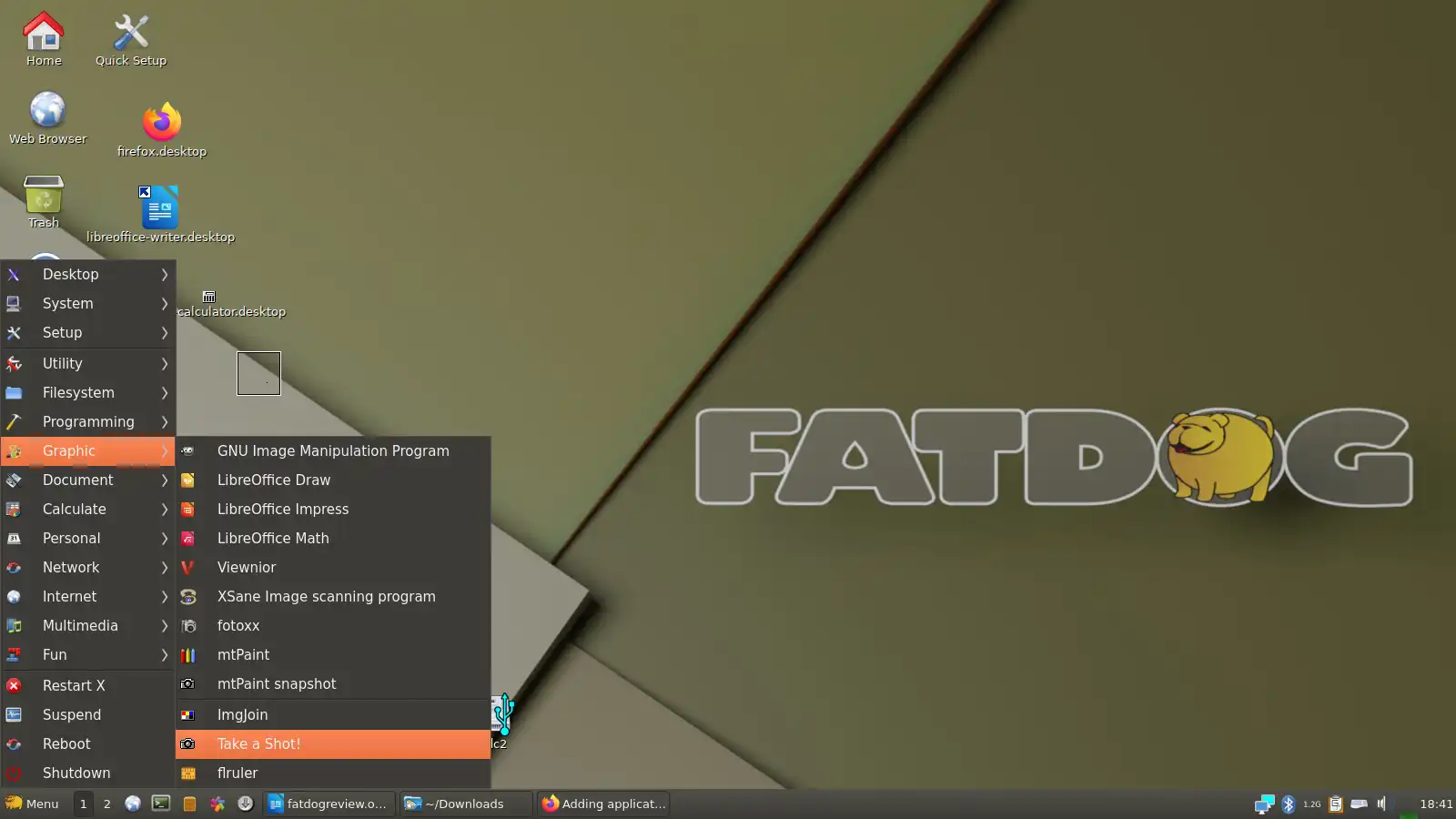
When the computer boots into Fatdog64 for the first time, your screen will look like the image above. You can click on Quick Setup to choose your timezone.
If you look in the lower right corner of the screen, you will see an icon with two computers. Click on it to establish an internet connection. If you want to add wifi, click “Scan.” This will show nearby wifi networks. Click on the one you want and enter the password.
Look in the bottom left corner of the screen. You will see a menu button with the fat dog logo. Click on it to see a long list of programs. Some of them are not actually installed yet, but if you click on them, you will be asked if you want to install them. Say yes and give it a minute to load. It’s very simple.
To make your programs more accessible and easy to find, you can drag and drop them onto the desktop. Just go into the menu, click the app you want, hold down, bring it to the desktop and release. This does not remove them from the menu; it only adds an extra shortcut.
Fatdog64 Apps
Some apps that come installed or ready-to-install on Fatdog64 include:
- LibreOffice, a software collection similar to Microsoft Office, but free and open source
- Seamonkey, a web browser
- VLC Media, a great program for watching and downloading videos
- GIMP (GNU Image Manipulation Program), a program for editing photographs and making art, a free alternative to Photoshop
- a number of useful basic apps, like a calculator, as well as a few games, including GTK Tetris
Why Use Fatdog64?
Fatdog64 is simple to use and runs better on old computers than other operating systems. It is faster than Ubuntu and some other Linux distros that use more resources. Even though it has low system requirements, you aren’t missing out on any important features. Fatdog64 is very efficient.
Installing a lightweight Linux distribution onto an old computer is a great way to save money and reduce e-waste. You can fix up your old computer instead of buying a new one. As a nice bonus, Linux computers are less likely to get viruses than Windows computers.
How to Install Fatdog64
Fatdog64 can run directly from a USB flash drive, or you can use the flash drive to install it to your computer. Either way, you can set up a Fatdog64 installation flash drive by downloading Fatdog64 and then using a program like balenaEtcher – just be sure to follow all the instructions carefully.
Plug the flash drive into your computer, then turn it on. You will need to press a button to access the boot menu while the computer is first powering up. On most computers, this is a key like F9 or ESC, but it varies. Once you find the boot menu, select your USB and Fatdog64 should start right up.
Some computers may refuse to boot from a flash drive due to security settings. In this case, you may need to locate your computer’s setup menu and disable Secure Boot first.
If you have any questions about using Fatdog64 or setting it up, it’s a good idea to check out the Puppy Linux forums for help.
Is Fatdog64 a Good Linux Distro for Beginners?
Fatdog64 is fairly simple, so most people shouldn’t have trouble with it. That being said, it may not be the best choice for someone with very little computer experience, such as an elderly person. Why? Because it doesn’t hide “technobabble” like some other distros. The Help menu on the desktop is full of words like “kernel” and “terminal.” This is too complicated for some people. There is the assumption that you know a little bit about computers already.
If you want a super simple version of Linux that is similar to Windows and will work without any know-how or tinkering, try Zorin OS or Q4OS. If you want a Linux distribution aimed at children, Edubuntu is a great option, though it requires more resources than Fatdog64.
Alternatives to Fatdog64
If you want something similar to Fatdog64, you may want to try Puppy Linux. Alternatively, you could try another lightweight Linux distro like Linux Lite, Zorin Lite, or Bodhi Linux. If what you want is the ability to boot from a flash drive, consider Tails.